Overview
A little over three months ago, my family bought a new robot vacuum/mop. I had finally decided to give robot vacuums another chance after being pretty disappointed with an iRobot Roomba we had for several years.
That Roomba was loud, got stuck constantly, and generally felt less like a helpful little cleaning robot and more like a confused hockey puck with a motor.
So, like any normal person about to buy a gadget, I did way too much research. After digging through reviews, specs, videos, and probably more robot vacuum opinions than anyone should read, I eventually landed on the Ecovacs Deebot X9 Pro.
And compared to the Roomba it replaced, this thing feels like it came from the future.
Design & Functionality
The X9 Pro is a Wi-Fi-enabled smart vacuum/mop. It has separate tanks for clean and dirty water, along with a base station it returns to when it needs to self-empty the vacuum, refill itself, wash the roller mop, or recharge.
Basically, it has chores so I can have fewer chores.
The dock is not tiny, but I also do not find it especially obtrusive. It sits in the corner of the room without screaming, “Hello, I am your robot cleaning command center.” Some people may even find it kinda.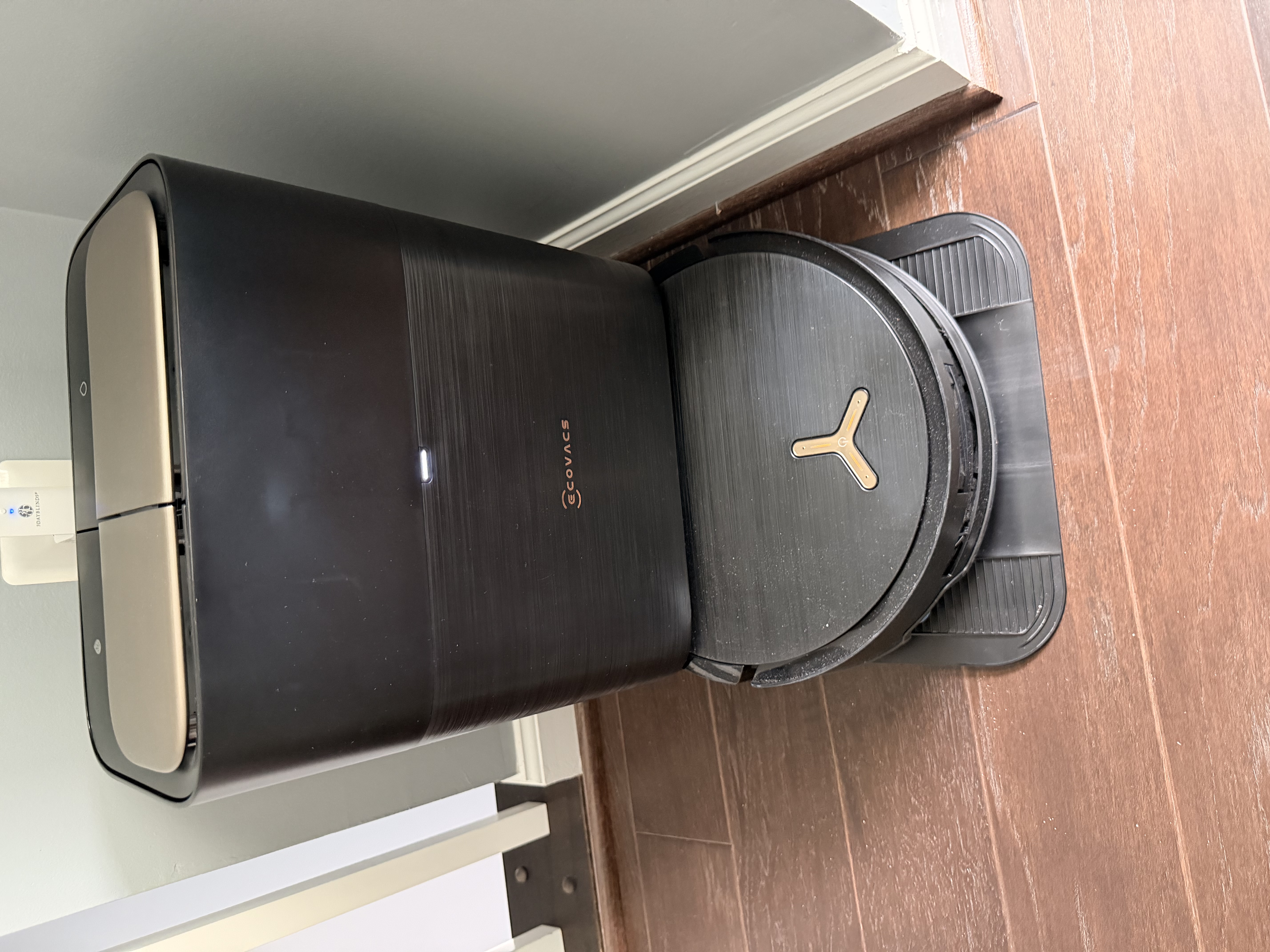
The first thing I’ll give the X9 credit for is that it is surprisingly quiet for a vacuum. Compared to our old Roomba, it is night and day. I did not realize how often I avoided running the Roomba while I was home just because of the noise. The X9 is not silent by any means, but it is quiet enough that I actually use it more often.
That alone is a pretty big win.
The best thing about the X9, though, is how quickly and accurately it maps your space. The cameras and sensors are clearly more advanced than what our older Roomba had, so it gets a good understanding of the layout pretty quickly.
And when it is running, you do not see it repeatedly bumping into the same obstacle like it is trying to win an argument with a chair leg.
Because of that, it also rarely gets itself stuck. In three months of use, with it running every weekday, I have only had to rescue it once. Once. That is a huge improvement compared to older robot vacuums, where “robot rescue mission” basically becomes part of your weekly routine.
If you have a robot vacuum that is more than three or four years old and it constantly gets stuck, this improvement alone may make the X9 worth the price.
Performance
We have a 10-pound Shih-Tzu/Poodle named Sophie. And while Sophie is low shedding, that does not mean no shedding.
Dog hair still happens. It just happens politely.
Having a robot vacuum/mop has been great for dealing with the inevitable dog hair that shows up around the house. The Deebot has done a really good job cutting down on the amount of dog hair floating around, hiding in corners, and generally reminding us that Sophie lives here rent-free.
I was initially a little nervous about letting it mop the hardwood floors. But I quickly learned that having your floors lightly mopped every couple of days is actually pretty awesome.
It is just nice to come home from work and have clean floors that were vacuumed and mopped while you were out doing adult things.
The X9 does a great job with light mopping. The floors are never soaked, and it uses a tiny amount of floor cleaner mixed with water. After three months, the floors simply feel clean. I have not noticed any buildup from the cleaner, and the hardwood has been totally fine.
To be clear, this is not replacing a deep clean. But for everyday maintenance, it has been excellent.
Apps/Connectivity
Another thing the X9 Pro has going for it is that the app is actually decent. That may sound like a small thing, but with smart home devices, a bad app can ruin the whole experience.
The bigger selling point for me was HomeKit support. We are definitely an Apple household, so being able to control it through the Home app was a big deal.
The HomeKit integration has worked perfectly. I can see the X9 in the Home app from any of my devices, and I can easily start a vacuuming or vacuum/mopping run.
You can also give it a name. Ours is named Daisy.
So yes, I can say, “Hey Siri, have Daisy vacuum,” and Daisy heads out to do her thing.
Is that necessary? No.
Do I enjoy it every single time? Absolutely.
Overall, this part has been a big win for the X9.
Quirks/Annoyances
The one real annoyance with the X9 is that this thing is chatty.
Very chatty.
Sometimes it feels like it just will not stop talking. If you are near it while it is running, you will hear things like “Returning to wash the roller mop” and other status updates throughout the cleaning cycle.
I appreciate the communication, Daisy, but we do not need a press conference every time you clean your mop.
The frustrating part is that I have not found a way to turn those voice announcements off in the app.
The only other mild annoyance is that the clean and dirty water tanks feel a little small. If you are running it frequently, you should expect to fill and empty them pretty much every day.
It is not hard, but it is one of those tiny recurring tasks that reminds you we are not quite living in the fully automated future yet.
Close, but not quite.
Verdict
Overall, we love the Ecovacs Deebot X9 Pro.
It was easy to assemble, easy to get started, and it has been a great addition to our household. It makes vacuuming and mopping feel less like a chore and more like something that just kind of happens in the background.
For busy adults, that matters.
It is not perfect. It talks too much, and the water tanks could be bigger. But those are pretty small complaints compared to how much easier it has made keeping the floors clean.
After three months, the X9 Pro feels like one of those smart home devices that actually earns its spot in the house.
And honestly, Daisy can stay.